If you sell products online, design ads, or touch photos for a living, you have probably heard the term “clipping path” thrown around a lot. But what is a clipping path, really, and why do some images look “clean” and professional while others feel a little rough around the edges? The short version is this: a clipping path is a precise, hand-drawn outline used to isolate a subject from its background. The longer version is where it gets interesting, because once you understand Clipping Path in Photoshop , you will also understand when it is the best tool and when it is not.
A lot of people confuse clipping paths with “background removal” in general. They are related, but not identical. The pen tool cutout comes down to control. When you need crisp edges, accurate shapes, and predictable results across a catalog of product images, clipping paths are often the difference between “good enough” and “store-ready.”
Table of Contents
What Is A Clipping Path?
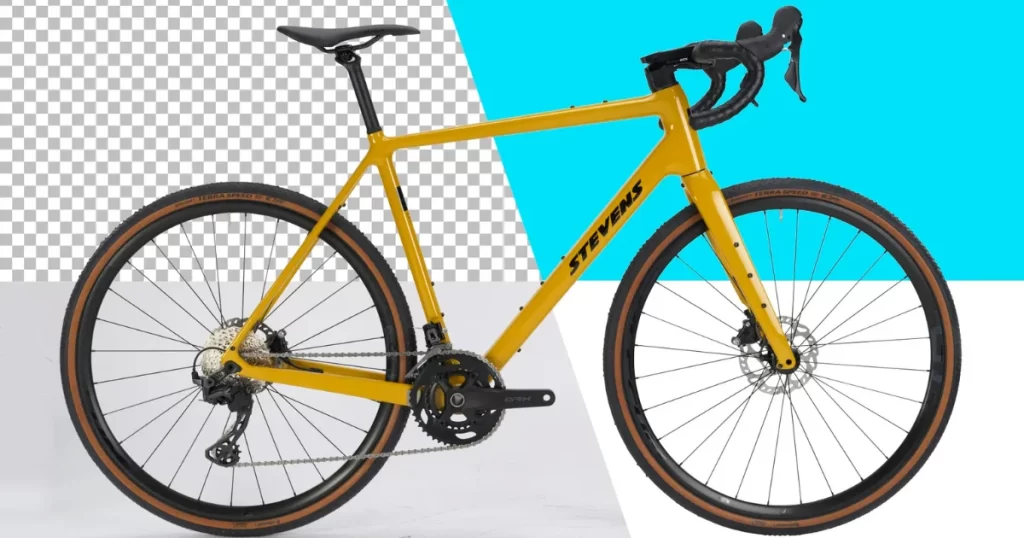
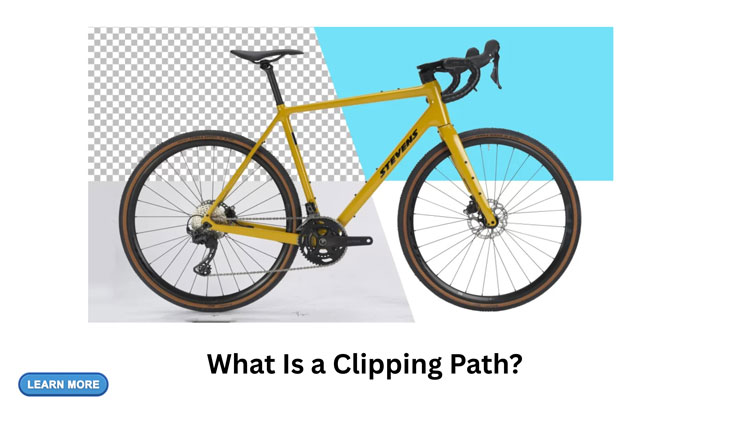
So, what a clipping path is in practical terms? It is a closed vector path (an outline) created in software like Adobe Photoshop using the Pen Tool. Once that path wraps around your subject, everything outside the path can be hidden, deleted, or replaced with a new background.
Because it is vector-based, a clipping path creates a clean, scalable selection edge that stays smooth and controlled. That is exactly why clipping paths are a staple in e-commerce photography, product retouching, and graphic design workflows where edge quality is non-negotiable.
Compared to other selection methods, here is the key idea: clipping paths are typically done manually for accuracy, especially when the subject has firm edges like bottles, boxes, tools, electronics, furniture, and most fashion accessories. For those seeking professional assistance in achieving high-quality results with such tasks, companies like CutOut Image Media offer specialized services that can significantly enhance your images’ quality.
How A Clipping Path Works
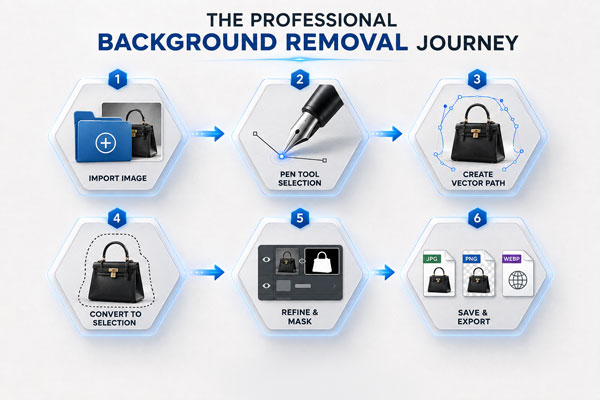
Here is what is happening behind the scenes when a designer creates a clipping path:
The editor zooms in, places anchor points around the subject, and connects those points with curves that match the product’s outline. Once the outline is complete, the editor can cut the subject out, drop it on a white background, place it on a lifestyle scene, or export it with transparency.
This is why people keep asking what a clipping path is when they start listing products online. Marketplaces and ad platforms reward images that look consistent, clean, and distraction-free. Clipping paths help you get there with repeatable precision.
Clipping Path Vs. Image Masking: What’s The Difference?
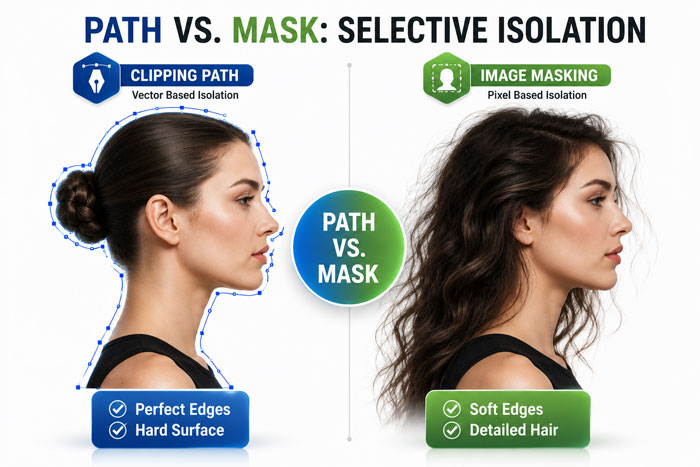
This is one of the most important clarifications, because many people use the terms interchangeably. If you are learning what is a clipping path, you should also learn what it is not.
A clipping path is best for hard, defined edges. Image masking is typically better for soft or complex edges like hair, fur, sheer fabric, smoke, or glass reflections where a hard cut looks unnatural.
A simple way to remember it: clipping paths draw around shapes; masking handles transitions.
If your product is a perfume bottle with a crisp silhouette, a clipping path is usually perfect. If your product is a model with flyaway hair, masking (or a combination of masking plus a clipping path) usually wins.
When You Actually Need A Clipping Path
There is no prize for using a clipping path on every image. The real skill is knowing when it matters. If you are still wondering what a clipping path is used for in the real world, here are the situations where it truly earns its keep.
You Need Clean Product Edges For E-Commerce
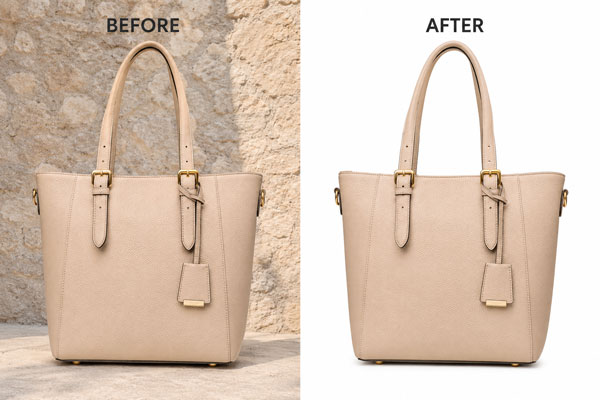
Most e-commerce platforms favor images with clear boundaries and minimal noise around the product. A clipping path gives you sharp edges that do not look “mushy” or overly automated.
This is especially useful for Amazon-style main images, Shopify collections, catalogs, and marketplace listings where consistency affects click-through rate and trust.
You Want A Pure White Background (That Looks Natural)
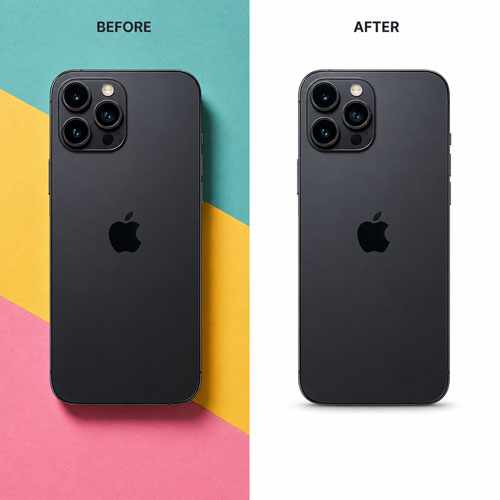
Anyone can “remove a background.” The tricky part is making the product look like it belongs on white without jagged edges, halos, or weird cut marks. A well-made clipping path helps you isolate the product cleanly, then you can add realistic shadow or reflection so the result does not feel pasted on.
You’re Doing Bulk Editing And Need Consistency
If you are editing 50, 200, or 2,000 SKUs, consistency becomes the whole game. One-off automated removals can vary from image to image. Clipping paths, done by skilled hands, are controllable and repeatable. That is one of the most practical answers to what a clipping path is for businesses.
Your Product Has Hard Edges (The “Clipping Path Sweet Spot”)
Clipping paths are ideal for:
- Electronics (phones, earbuds, laptops)
- Cosmetics packaging (tubes, bottles, boxes)
- Jewelry with defined shapes (rings, bracelets, watches)
- Furniture and home goods (lamps, chairs, decor)
- Tools and hardware items
In each case, the product edge is strong enough to trace accurately, and the cutout needs to look crisp.
You Need Print-Ready Cutouts For Design Work
Designers still rely on clipping paths for brochures, packaging mockups, banners, and catalogs. When printing, edge quality becomes more noticeable. Learning what a clipping path is matters even more if your images will be used in large formats.
When You Probably Don’t Need A Clipping Path
Sometimes the honest answer to what a clipping path is is: it is the wrong tool for this job.
If the subject includes lots of fine strands (hair, fur), semi-transparent areas (veil, sheer plastic), or motion blur, a hard-edged clipping path can create that unnatural “cookie cutter” look. In these cases, masking, channel-based selections, or hybrid workflows usually give a more realistic finish.
Also, if the image is for quick internal use, drafts, or temporary mockups, a fast automated selection might be enough.
Single Clipping Path Vs. Multiple Clipping Path
Once you understand Image cutout service , you will see there are levels to it.
A single clipping path isolates one main subject. A multiple clipping path isolates several parts within the same image. This is common in product retouching when you want separate control over areas like labels, screens, bottle caps, or different materials.
For example, with a multiple clipping path, you can edit the label color, brighten the bottle, and adjust the cap highlights independently, without affecting the rest of the product.
Clipping Path And Shadows: The Detail That Makes Images Sell
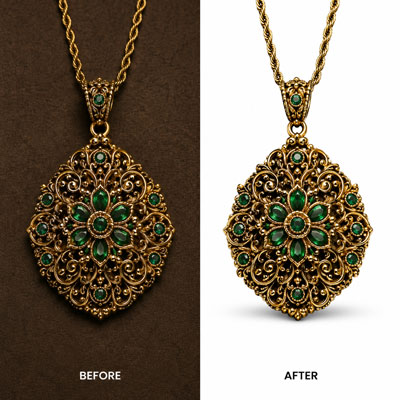
A clean cutout is step one. Step two is making it look believable. This is where natural-looking shadows (drop shadow, natural shadow, reflection shadow) come in.
If you are using clipping paths for e-commerce, shadows help avoid that “floating product” effect. The right shadow makes the product feel grounded, premium, and real.
So when someone asks what is a clipping path, the best answer is not just “a cutout.” It is the foundation for a polished product presentation, especially when paired with realistic shadowing and subtle retouching.
Common Clipping Path Mistakes
A clipping path is simple in concept, but quality varies wildly. If you want the “clean” look people expect when they ask what a clipping path is, watch out for these issues.
Too many anchor points can make edges wobbly instead of smooth. Too few points can make curves look angular. Another common problem is cutting too tight or too loose, which either chops off the product edge or leaves a halo from the old background.
The best results come from careful pathing at high zoom, smooth curves, and a final edge check on multiple background colors (white, black, gray) to confirm there is no fringing.
Is A Clipping Path The Same As Background Removal?
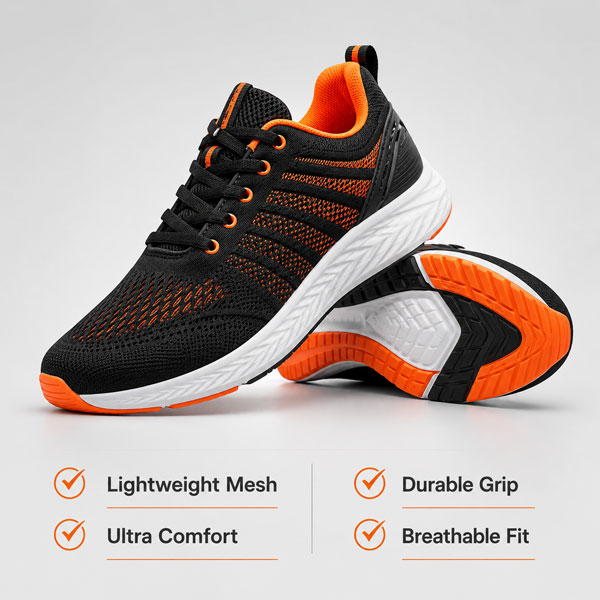
Not exactly. Background removal is the goal. A clipping path is one method to achieve it.
If you are researching what is a clipping path, think of it like this: background removal is the outcome; clipping path is the precise manual technique that often produces the cleanest result for hard-edged products.
Why Businesses Outsource Clipping Paths
A business can absolutely do clipping paths in-house, but many teams outsource because it is time-intensive and requires trained hands. One good path can take minutes. A full catalog can take days.
Outsourcing also helps when you need consistent quality, fast turnaround, and predictable output formats for platforms like Amazon, Shopify, Etsy, Walmart, and brand websites.
What To Provide For The Best Clipping Path Results
If you want your editor to deliver clean results, help them help you. Provide high-resolution images, specify the background requirement (transparent, white, or custom), and mention if you want shadows, reflections, or color correction.
Small details matter here. The more consistent your input, the better your output will look, and the more value you will get from understanding what a clipping path is in the first place.
FAQs
What Is A Clipping Path Used For In E-Commerce?
A clipping path is used to isolate products with clean, sharp edges for marketplace-ready images. It helps create consistent backgrounds, improves catalog uniformity, and supports add-ons like natural shadows or reflections.
What Is Clipping Path Vs. Masking?
A clipping path works best for hard, well-defined edges like boxes and bottles. Masking is better for soft or complex edges like hair, fur, transparent fabric, or fine details that need gradual blending.
Does A Clipping Path Work For Hair And Fur?
Usually not by itself. Hair and fur often require masking or advanced techniques because a hard clipping path edge can look unnatural. Many professionals use a hybrid workflow for realism.
Is A Clipping Path Manual Or Automatic?
A high-quality clipping path is typically created manually with the Pen Tool for accuracy. Automated tools can help for quick drafts, but manual work usually delivers cleaner, more consistent edges for products.
How Long Does A Clipping Path Take?
It depends on complexity. A simple product can take a few minutes, while complex items with holes, curves, or multiple parts take longer. Bulk catalogs often require dedicated production workflows.
Final Thought
If you have been reading this and thinking, “Okay, now I finally get what a clipping path is, but I do not want to spend my whole day tracing product edges,” we get it, because we have been doing this for a long time. At Cutout Image Media, we have 15 years of experience in image editing and photography post-production, and we focus on the kind of clean, consistent results e-commerce brands actually need. If you want product images that look sharp, natural, and ready to sell, we would love to help you get there.